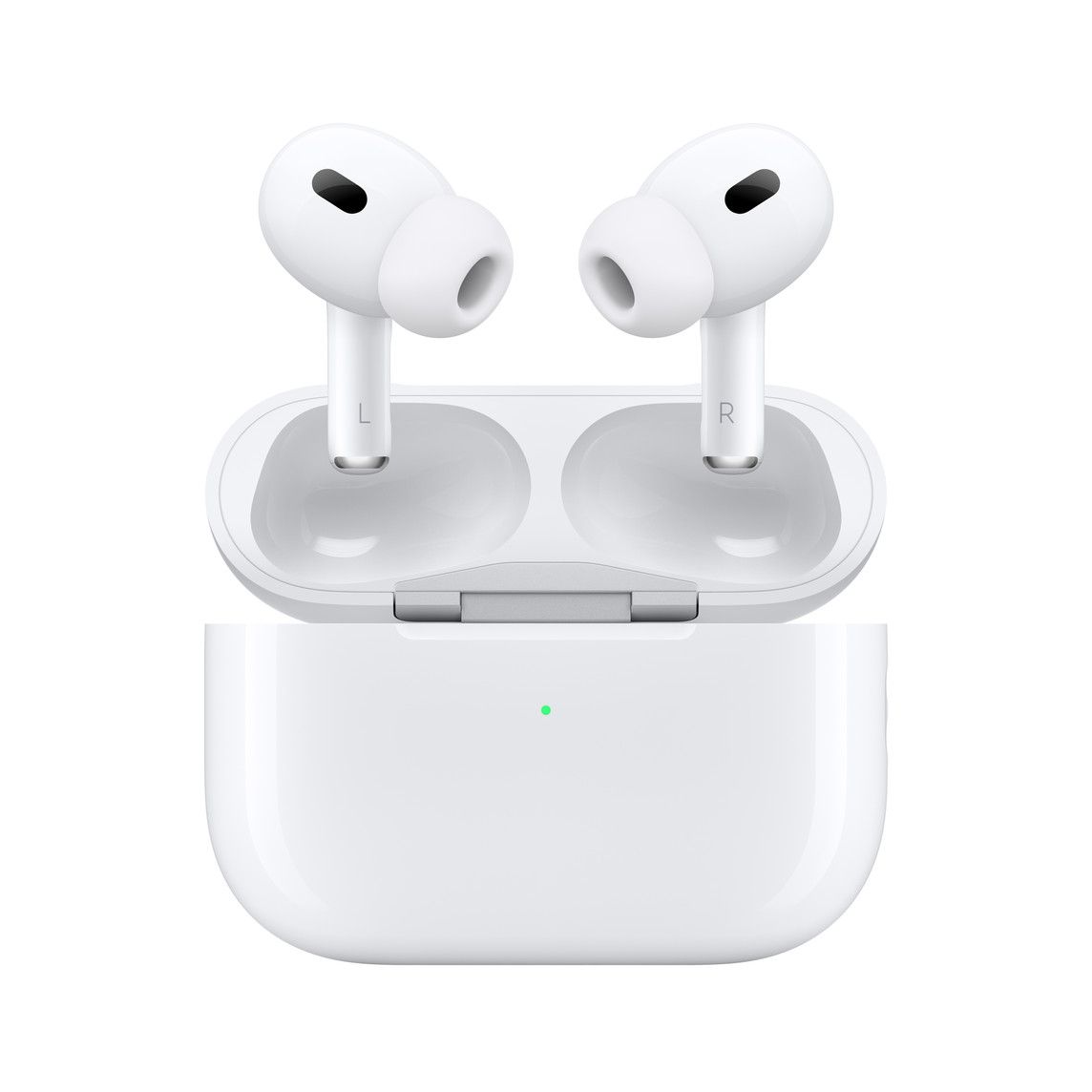
Although Apple’s latest flagship earbuds bring several improvements over the original AirPods Pro, the AirPods Pro 2 do not include the previously rumored heart rate sensor. While that may not be a deal breaker for most people, if you’re someone who wants heart rate tracking capabilities on earbuds, Anker has you covered. Its latest Soundcore Liberty 4 earbuds feature a heart rate sensor and spatial audio support, and they’re $100 cheaper than the AirPods Pro 2.
The all-new Anker Soundcore Liberty 4 are the first earbuds in Anker’s Soundcore Liberty lineup to feature dual dynamic drivers and an updated stem design. Priced at $149.99, the Liberty 4 feature pretty much everything you’d expect to see on a pair of premium TWS earbuds, including ANC support and immersive spatial audio. In addition, the earbuds also feature a heart rate tracker for fitness enthusiasts.
The Soundcore Liberty 4 also come with new CloudComfort ear tips that ensure a comfortable and secure fit, Hi-Res Audio wireless certification, ACAA 3.0 Coaxial Acoustic system for enhanced sound output, and LDAC support. As far as the battery life is concerned, Anker claims that the Liberty 4 can last up to 9 hours on a single charge with ANC off and up to 7 hours with ANC. The charging case, which features wireless charging support, adds an additional 28 hours of playtime without ANC and 24 hours with ANC.
The Anker Soundcore Liberty 4 are available for purchase through Anker’s website, and you can order yours right away by clicking the link below. The earbuds will also be available on Amazon starting October 10 and on Best Buy by the end of October.
Note that the Liberty 4 are not the first TWS earbuds on the market with a heart rate sensor. The Amazfit PowerBuds and Jabra Elite Sports Earbuds also feature heart rate sensors, and they’re much more affordable than Anker’s latest offering.
It feels like for ages that Twitter users have been asking for a way to edit tweets. While there were plenty of rumors and inside reports, the edit button has yet to surface in an official capacity. It wasn’t until April of this year that we finally got confirmation that the company was working on it, giving users hope that it would arrive soon. Well, the time could finally be near, as the Twitter Blue account just tweeted the platform’s first-ever edited tweet.
Although this is exciting, it doesn’t really give us any answers about when the feature will come. But it does give us a good idea of how the feature will work in a live scenario. We have reported in the past how Twitter will implement multiple visual cues to show users when a tweet has been edited. We can see in the tweet there is a “last edited” message showing. The message indicates when a user last edited a tweet with a date and time. By clicking on the message, users can get more details and see how the tweet was edited.
hello
this is a test to make sure the edit button works, we’ll let you know how it goes
Twitter has already stated that when the feature goes live, it will be exclusive f0r Twitter Blue subscribers. Twitter Blue is a premium subscription service that gives users access to additional perks like custom app icons, the ability to undo tweets, ad-free articles, bookmark folders, and more. Blue subscribers also gain access to the Labs section, offering experimental features that can change from time to time. Recently, Twitter has been expanding its audio offerings through Labs, debuting a new Spaces tab featuring podcasts and other audio content.
The firm has even started to double down on videos on its platform, revamping its content and mimicking TikTok with an immersive and fullscreen viewing experience. Naturally, there’s no telling how any of these additions will do in the long run, but it’s good to see the platform doing as much as it can to keep things fresh. If interested in Twitter Blue, the service costs $4.99 per month, and it is available in Australia, the United States, and New Zealand.
Apple did not invent the wireless earbuds — there were several brands pumping out truly untethered earbuds up to a full year before the AirPods made its debut in late 2016. But Apple made the wireless earbuds mainstream, and whether for better or for worse, the AirPods heavily influenced the design of wireless earbuds immediately after its debut.
But the original AirPods, if we’re being honest, looked pretty ugly, nor did they sound all that great. The one-size-fits-all tip also meant they simply didn’t fit in some ears. In my opinion, it really wasn’t until 2019’s AirPods Pro did Apple put out a truly great pair of wireless earbuds. But those, too, were quickly surpassed by rivals. By 2021, I’d argue Huawei’s Freebuds Pro or Samsung’s Galaxy Buds Pro pumped out noticeably fuller audio with better active noise cancellation.
The new AirPods Pro 2 is Apple’s counter. They bring much improved audio and active noise cancellation, as well as slightly better battery life. For those jumping from the two-year-old AirPods Pro, the audio improvements are significant. But the wireless earbuds scene, just like the smartphone scene, has become too mature and competitive for Apple to clearly retake the throne.
The AirPods Pro 2 are excellent in almost every facet — fit and comfort, construction, and audio quality. But I can say the same about Samsung’s Galaxy Buds 2 Pro or Huawei’s FreeBuds 2 Pro, both of which just hit the market a couple of months ago. Even the $249 pricing is similar. But the AirPods Pro 2 has one major trick up its sleeve: it’s an Apple product, so it’s an official part of Apple’s ecosystem. And this alone will ensure almost all iPhone users pick these over, say, Samsung’s buds. And there are a lot of iPhone users in the world. The AirPods Pro 2 are almost certainly going to be a smashing sales success.
About this review: Apple Hong Kong provided me a pair of AirPods Pro 2 for review. Apple did not have any input in this review.
Apple AirPods Pro 2: Price & Availability
The AirPods Pro 2 are available for purchase across retailers, starting from September 23, 2022 for $249.
Apple AirPods Pro 2: Hardware, Design, and Fit
Looks virtually identical to the original AirPods Pro
Silicon tip comes in four sizes, including a new “XS” for a wider range of fit
Can now adjust volume directly on the earbuds
Not much has changed in terms of appearances with the AirPods Pro 2. The earbuds themselves look almost identical, with an extra vent in each bud being the differentiating factor. The case has the same overall shape but has some new hardware including a speaker (that can play a beeping sound if you can’t find it around the house) and a small looping slot for lanyard straps. There’s a newer H2 chip inside that is more powerful at handling audio and active noise cancellation (ANC), but this obviously isn’t a visible change.
Just like the previous AirPods Pro, the silicon ear tips are removable, and Apple is including four sizes this year (instead of three like most other earbuds). This means the buds will fit a wider range of ear canal sizes.
The fit is comfortable for me using the small size silicon, but I find the earbuds protrude too much from my ears for my liking. Yes, this is nothing new, AirPods have always stuck out like this. But other earbuds, even ones with stems like Huawei’s FreeBuds Pro 2, Bose’s QuietComfort 2, or Nothing’s Ear 1, do not stick out from the side as much. The AirPods Pro’s stems curve at a wider, rounder radius. If I wear the AirPods Pro 2 and Samsung’s new Galaxy Buds 2 Pro at the same time and look at a mirror, the AirPods Pro is much more noticeable.
I’m wearing the AirPods Pro 2 in my left ear and Galaxy Buds 2 Pro in the right.
It doesn’t help that the AirPods Pro 2 come in white. I think even giving it a black paint job would make the earbuds look sleeker and more discreet. But I’m pretty sure that within Apple HQ, the AirPods Pro being so noticeable is a feature, not a bug. Just like slapping a giant logo on the back of their phones and laptops, Apple wants its products to be seen and identified, and I suppose many consumers like it too. I don’t.
The stems did get a hardware upgrade — the capacitive touch panel now supports sliding motions, which is used to adjust the volume. Clicking on the sensors still brings a very satisfying haptic feedback that feels better than any other earbuds I’ve tested.
The AirPods Pro 2 (left) and the Samsung Galaxy Buds 2 Pro.
Battery and charging
While the battery capacity inside the earbuds and the case remain the same, battery life is improved, with the AirPods Pro 2 getting six hours of playtime on a single charge. This is with ANC or transparency mode on at all times (you must use one of the two modes). If you use Spatial Audio, Apple claims the buds are good for five hours, but my unit was draining at a faster rate. I’d say four hours seems about right. The case adds another five full charges.
Apple AirPods Pro 2: Setup, Audio Quality, Features
Setting up with Apple devices is as simple as opening the lid; with Android or Windows devices, it requires the press of a button
Excellent, balanced sound
Can respond to text messages, including WhatsApp, via voice dictation
Setting up the AirPods Pro 2 is a piece of cake with my iPhone 14 Pro Max. As soon as I took the AirPods out of the box and opened the lid, the pairing screen already popped up on my iPhone. I only had to tap a button to confirm these are my AirPods, and after that, the buds also worked seamlessly with my MacBook and iPad (because they all share the same Apple ID as my iPhone) without needing to manually pair again.
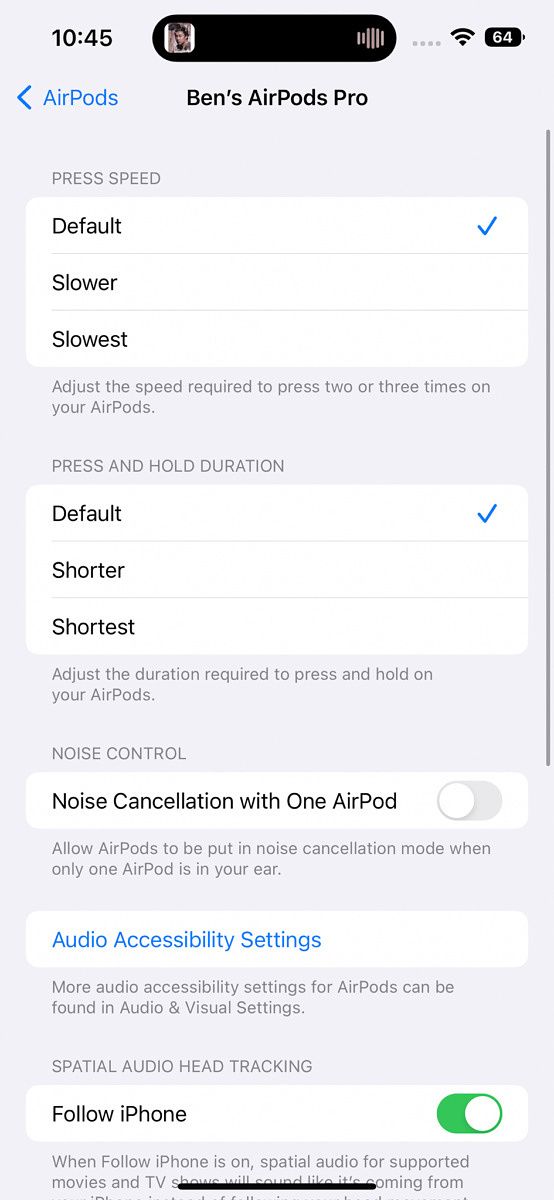
Unlike some other earbuds, Apple doesn’t need you to install an additional app if you want to have more control over the AirPods. You can do so in the iPhone’s settings. These settings are more niche controls like accessibility features. For the most part, Apple doesn’t want you to fiddle with toggles and settings the way Samsung’s earbuds do.
I, however, do not always use an iPhone. In the past few days, I’ve actually put my SIM card back into the Xiaomi 12S Ultra, and pairing is still easy. I just had to long-press the button on the case to tell the AirPods to go into pairing mode and connect via the Bluetooth menu of my Android phone. After that, I encountered no issues in terms of audio quality or audio playback. However, there are some iPhone-specific features I lose out on, like the ability to have incoming notifications read to me, and the ability to respond. More on this later.
Apple doesn't want you to fiddle with toggles and settings the way other makers want you to
Audio Quality
While the AirPods Pro 2 still uses the same 11mm drivers as the previous generation AirPods Pro, Apple redesigned the amplifier and driver, plus the AirPods Pro 2 uses Apple’s new H2 chip (versus H1 in the original), and the audio output is much improved. They’re noticeably fuller and more dynamic. I do think the Galaxy Buds 2 Pro and Huawei FreeBuds Pro 2 have noticeably stronger bass for that extra kick in certain tracks, but I think the AirPods Pro 2 have a well-balanced sound that favors spoken word as much as instruments. There’s a bit more consistency among audio quality whether I’m listening to Outkast or a podcast compared to Huawei’s earbuds or Beats by Dre’s audio products (which, ironically, are also owned by Apple).
The AirPods Pro (left) next to the Galaxy Buds 2 Pro (middle) and Huawei FreeBuds 2 Pro (right).
Compared to rivals, the AirPods Pro 2 have more consistency in audio quality whether I'm listening to Outkast or a podcast
Active Noise Cancellation
During Apple’s September launch event, it claimed the new AirPods Pro’s active noise cancellation (ANC) is twice as good as the original pairs, and I think it lives up to that hype. ANC here is very good, able to almost completely provide silence if I’m in a room, and does an admirable job of blocking out the extremely loud Hong Kong streets.
I think in terms of blocking out sound, the ANC here is neck and neck with the Huawei FreeBuds Pro 2, and a bit better than the Galaxy Buds 2 Pro. However, Bose’s new earbuds, which I have not tested, apparently have even better ANC that can mute human voices better than any earbuds before them.
Unlike other earbuds which give you the option to use ANC, transparency mode, or neither, Apple only does either ANC or transparency. This is fine by me, as I find the middle option (off) to be a bit pointless. Switching between ANC and transparency mode is just a long press of the stem away. It works well. I can easily hold a conversation and hear the other end perfectly in transparency mode, even if I have music playing, provided the volume isn’t too high.
Another little touch that Apple gets right: when you switch from ANC to transparency mode or vice versa, the transition is gradual, meaning the ambient noise will fade out or fade back in, instead of abruptly getting cut off or starting like with other wireless earbuds. Such smaller details help make the experience greater than just a sum of its parts.
Phone calls, and responding to notifications
Apple repositioned the microphones of the AirPods Pro 2 and they work fine for me. I almost never make phone calls these days, but a couple of test calls went smoothly, with the other party saying they could hear me. If I take the call outside in really noisy streets, the AirPods Pro 2 will apply ANC to my voice, which makes me sound a bit digitized, but it works. Again, Hong Kong is one of the noisiest places on earth, so if I can make a call outside here, I can surely make the call without issues in California or Berlin.
One of the cool features of AirPods Pro is the ability to have Siri dictate incoming text messages, to which I can respond via voice, without touching anything. I have to say “reply,” followed by the words I want to say. And it worked very well in my testing with WhatsApp. The ability to have text messages spoken to me and respond on the earbud is not a new feature, though I just found out about it because I so very rarely use an iPhone. I actually own a pair of AirPods Max I use daily, but I usually pair it with my MacBook or Android phone.
Spatial Audio
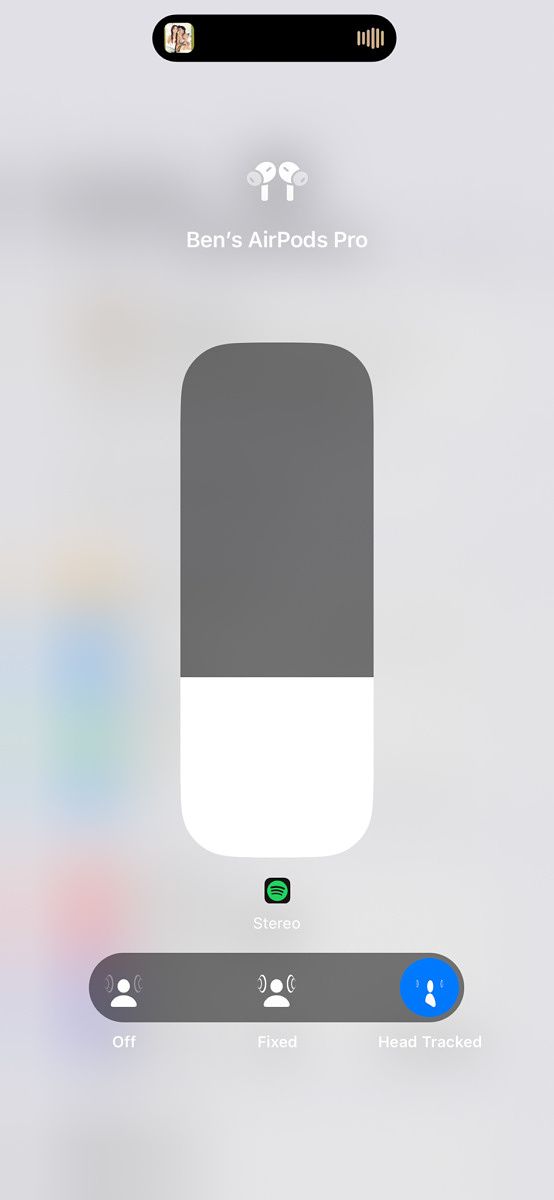
Another exclusive feature for iPhone users is Spatial Audio, where the AirPods Pro will keep track of your head movements so if you turn your head, the audio will shift around to maintain audio direction as if you really are sitting in front of an audio source. This feature works as advertised, though I find it a bit gimmicky at times.
Should you buy the Apple AirPods Pro 2?
You should buy the AirPods Pro 2 if:
You want a pair of compact wireless buds with excellent sound and active noise cancellation
You are already immersed in Apple’s ecosystem and want earbuds that play nice with everything in it
You should not buy the AirPods Pro 2 if:
You already own the original AirPods and find audio and ANC quality perfectly fine
You are on a tighter budget
You want earbuds that look a bit more discreet in your ears
With the AirPods Pro 2, Apple didn’t try to make superficial changes. Instead, they chose to focus on improving things that matter, like battery life and audio quality. Even little things, like the ability for the AirPods Pro case to beep, are little touches that make them so easy to use.
If you can splurge, the AirPods Pro 2 are awesome
If you own an iPhone and want your first pair of wireless earbuds, the AirPods Pro 2 are easy to recommend, as long as the $249 price is acceptable. The bigger question is whether those who own standard AirPods or the first gen AirPods Pro should consider an upgrade.
I’d say this really comes down to how happy you are with your existing AirPods or AirPods Pro. If you find your current set lacking in audio or ANC quality, the AirPods Pro 2 brings enough improvements to justify the upgrade.
There’s a reason why the AirPods, and later AirPods Pro, became ubiquitous in every major city around the world. Sure, part of it is they’re the default earbuds for iPhone users, but also because they’re just really, really good.
In February this year, Apple announced that U.S. merchants would finally be able to accept payments using Tap to Pay on iPhones. At the time, the company said that the feature would become available sometime later this year. However, it did not share a definite release timeline. U.S.-based payments platform Square has now finally implemented the feature, allowing merchants to accept payments using Tap to Pay on iPhones.
The feature will be available within the Square Point of Sale (POS) iOS app, and it will allow U.S. retailers to accept payments using just an iPhone. Tap to Pay on iPhones will not require any additional hardware, and Square will not charge retailers anything extra for using the feature. Tap to Pay on iPhones is available on iPhone XS and newer models, and it is compatible with most major networks, including American Express, Discover, Mastercard, and Visa.
In a press release, Square clarifies that Tap to Pay on iPhones won’t store users’ credit card numbers on the device or on Apple’s servers. It will utilize built-in security features on iPhones to keep the merchant’s and customer’s data secure.
Talking about the feature, Square’s Head of Financial Services, David Talach, said, “As commerce continues to rapidly evolve and contactless adoption in the U.S. continues to grow, Square is focused on ensuring sellers of all types and sizes have the technology needed to delight their customers and never miss a sale. Tap to Pay on iPhone offers a new level of accessibility for merchants to begin taking payments in minutes and processing transactions in seconds from anywhere in the store or on the go without the need for a separate payments device.”
Square sellers and merchants can use Tap to Pay on iPhones in the U.S. starting today by downloading the Square POS app.
At the top of the year, in an APK teardown, it showed that YouTube Shorts was working on implementing a voiceover feature. While that breakdown was performed on the Android version of the app, we are now finally seeing it come to fruition, albeit, on the iOS version of the app.
YouTube has announced that it is rolling out a voiceover feature that will allow users to perform narrations. The feature is first rolling out to iOS users, with no mention on an Android update on the support page. If unfamiliar with voice narration, the feature is used to add commentary or more context to recorded videos. In order to use the feature, users can record a video like normal and when finished recording, a narration can be added to the video by selecting any area of the footage. Once in marker is in right position, the user can press record and start the voiceover process. When finished, users can adjust the volume of all the audio found in the video. Users will have access to shortcuts like undo and redo. This should be an excellent addition for YouTube Shorts creators, giving them more tools to create better videos.
YouTube has been in heavy competition with TikTok, battling on the short format video front. While TikTok has been the platform king of short-form videos over the past few years, competitors like YouTube and Instagram have done their best to play catch up. More recently, YouTube stepped up in a big way announcing that its YouTube Shorts creators would be eligible to earn revenue by joining its YouTube Partner Program. The company also announced that it would offer different criteria for Shorts creators, allowing them to become eligible using different metrics. While this is certainly good news for those on the platform, the changes won’t be arriving until sometime in 2023.
Amazon held its fall hardware event, where it announced numerous products, including the Kindle Scribe, Fire TV Cube, Halo Rise, and more. Along with a variety of different hardware products, it also announced its partnership with BMW Group, makers of vehicles like BMW, Mini, and Rolls-Royce.
During its presentation, BMW Group shared its plans to build its next voice assistant using Amazon’s Alexa technology. Stephan Durach, who is the Senior Vice President Connected Company and Development Technical Operations stated, “The Alexa technology will enable an even more natural dialogue between driver and vehicle, so drivers can stay focused on the road. This will bring the digital experience to an entirely new level.” While Alexa is never really thought of for use in a custom application, it does have that capability, which can make it easier and faster for companies to develop their own virtual assistant. This not only works for vehicles but can also be applied in other applications.
According to BMW Group, the new voice assistant built using Amazon’s technology will work in harmony with Alexa, providing immense benefits for both brands and consumers. Furthermore, BMW Group will provide options with its vehicles, allowing consumers to choose BMW’s own voice assistant, the Alexa variant, or both. It will be interesting to see how the two interact when the latter configuration is enabled. For those that are getting excited about the prospect of being able to use Alexa in their BMW, Mini, or Rolls-Royce vehicle, you might be a little disappointed, as the company stated that the new voice assistant option would be rolling out sometime within the next two years.
As mentioned before, along with its partnership with BMW Group, Amazon also launched several new products at its hardware event. Perhaps one of the most interesting out of the bunch was its latest e-reader, the Kindle Scribe. What makes Scribe different from previous Kindle models is its ability to not only display books but also allow users to take notes. That means users can take notes on the device and also do so on pages of books that they are currently reading. Currently, the Kindle Scribe is available for pre-order starting at $339.99 and will be available on November 30.
It was about a month ago when Twitter rolled out its brand-new Spaces tab on its platform. Despite being available towards the tail-end of August, it was limited to a select group of users. While it was eventually made available to its Blue subscribers a couple of weeks later, it was again limited, this time to just iOS users. Now, the somewhat long wait is finally over, as the company has announced that it is making it available to Twitter Blue subscribers on Android.
While still in its infancy, the Twitter Spaces revamp attempts to make it into a full-fledged audio hub where users can enjoy different forms of audio entertainment, including podcasts. The original Spaces tab was created to allow hosts and co-hosts to have audio discussions with large audiences. There could be an unlimited number of members and it could even become a conversation space if the host allowed it. In August, Twitter changed this in order to accommodate its new podcast ambitions. The redesign offered personalized hubs with different content themes like music, sports, news, and other areas of interest. Furthermore, Twitter also added live and recorded audio content, while still managing to keep the original Spaces audio platform.
the redesigned Spaces Tab is now available to members on Android—be sure to update your app! https://t.co/sgFYYC1mYD
While it remains to be seen just how impactful the move to podcasts will be for Twitter, in its research, it found that nearly 45 percent of its US users listened to podcasts. Knowing this, it could become quite a popular space for the platform going forward. In addition to Spaces, Twitter Blue subscribers gain access to a number of different perks, like being able to upload higher resolution and longer videos, a bookmarks folder, ad-free articles, custom app icons, the ability to undo tweets, and more. Furthermore, Blue subscribers have access to experimental features found in its Labs section. Twitter Blue costs $4.99 per month and the subscription is available in Australia, the United States, and New Zealand.